
插件开发说明
插件说明
本项目 目前拥有三类插件:
DataLuminary插件生态
DataLuminary 作为一个图表开放平台,旗下有三大生态:
-
图表插件,负责以以特定的图表形势展现数据。
每个图表插件包含如下三个部分(以时序图为例):
- ChartPanel 图表渲染组件,渲染图表
- PropsPanel 图表被配置组件,用户用户配置图表
- meta 图表元数据,图表的信息描述
-
数据源插件 ,负责对接图表与用户的数据
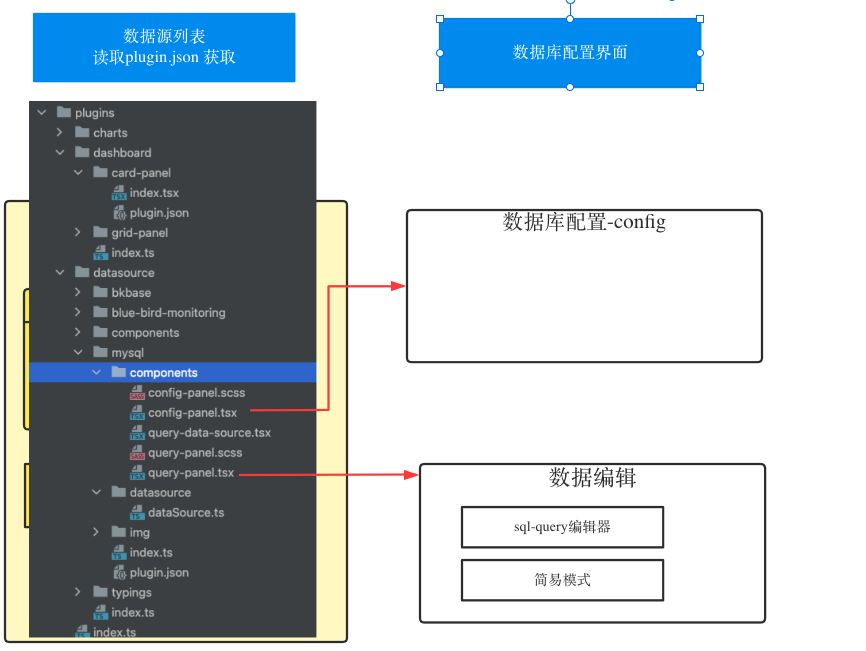
每个数据源插件包含如下三个部分(以mysql数据源为例)
- ConfigPanel 数据源配置组件
- QueryPanel 数据查询配置组件
- DataSource 数据查询类,包含如下三个基本方法
- query() 数据查询
- variableQuery() 变量查询
- testDatasource() 数据源测试
- postResource() 提交数据源
-
面板插件,负责多个图表展示的面板布局。如grafana的dashboard面板、dataV的大屏面板等,可由不同的面板插件负责渲染。 每个面板插件包含如下三个部分(以mysql数据源为例
- ChartPanel 图表渲染组件,渲染图表
- PropsPanel 图表被配置组件,用户用户配置图表
- meta 图表元数据,图表的信息描述
DataLuminary 作为中台,分别提供三大插件集的适配规范。开放生态让用户自由定制整个平台的开发。
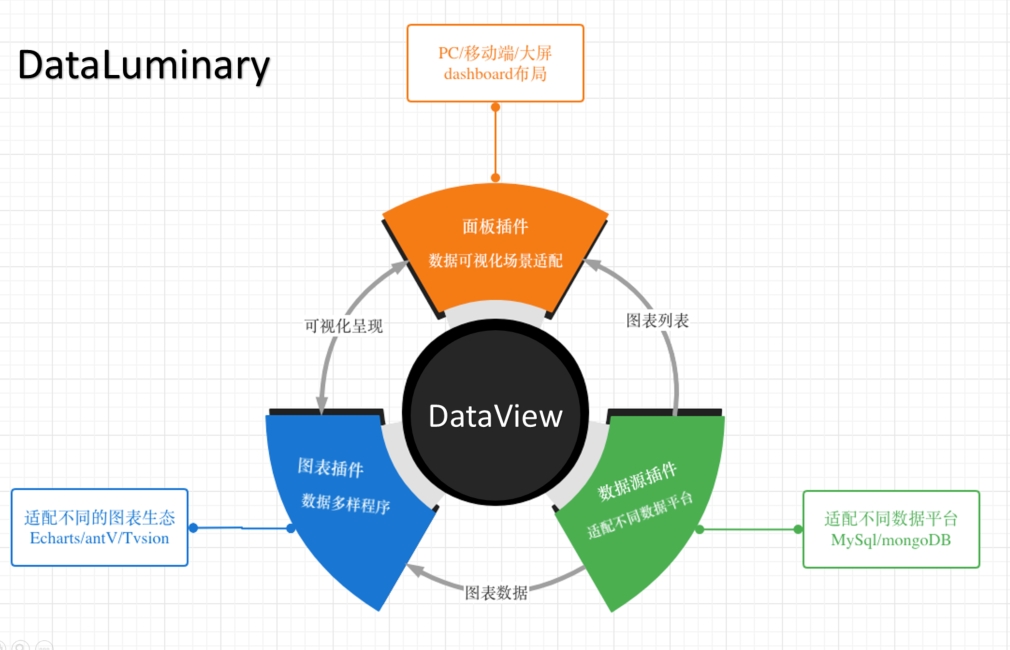
由数据源插件负责数据处理。提供query方法,让图表插件使用。图表插件即可单独分析,也可以有面板聚合成可视化页面 进行分析。
DataLuminary 结构说明
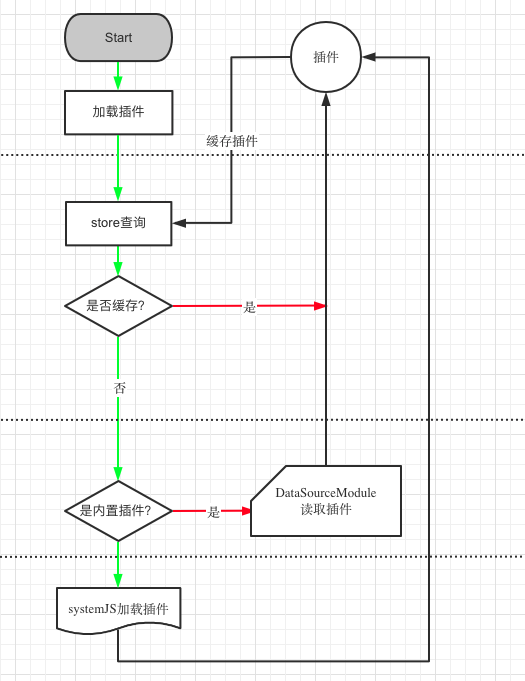
DataLuminary 插件分为内置插件和外置插件(由build_in 字段决定)
内置插件存在在项目 src/plugins 目录,分别为
外置插件插件 由用户自定义开发,提供插件远程加载路径,系统通过system.js 加载(SystemJS.import(path))。
官方插件模板,其目录结构与内置插件结构类似
-
数据源插件模板:
-
图表插件模板:
插件加载机制
三类插件分别由
- chartSourcePluginLoad
- dashBoardSourcePluginLoad
- dataSourcePluginLoad
加载
原理概述
如果为内置插件,会在
三个模块里面查找,非内置插件,则通过systemJS加载。
插件缓存
加载好的插件存在在 vuex store内,避免重复加载
插件使用
在 src/utils/dashboard.ts 提供插件加载方法
图表插件使用范例
如加载时序图插件
根据所需配置加载不同的配置页
详细说明
当需要展示插件时,会传递一个对象,至少有三个字段
- type: string 所需要加载的插件类型
- build_in: boolean 是否是本地的 true(是)
- moudle: string 远程插件的加载路径
具体流程
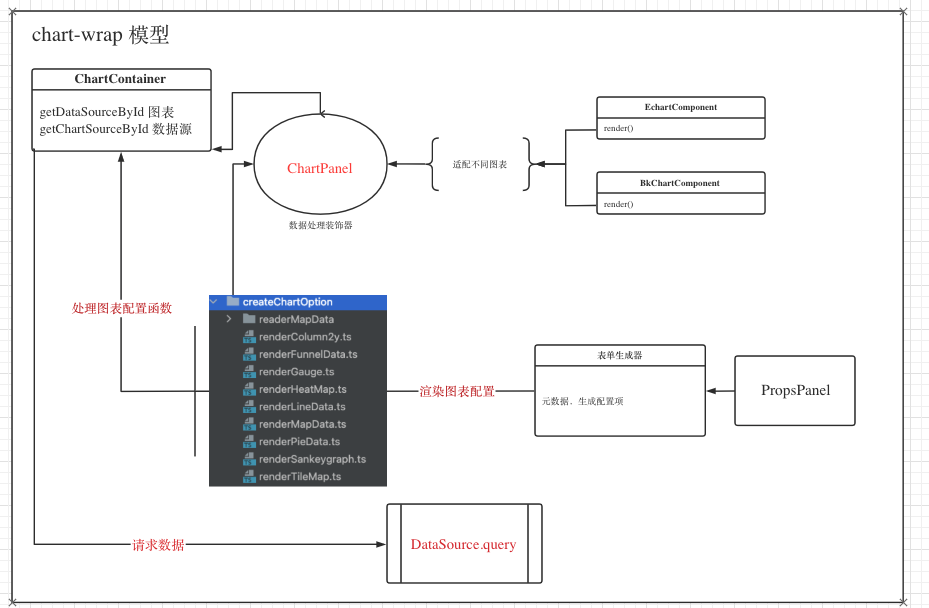
图表渲染模型
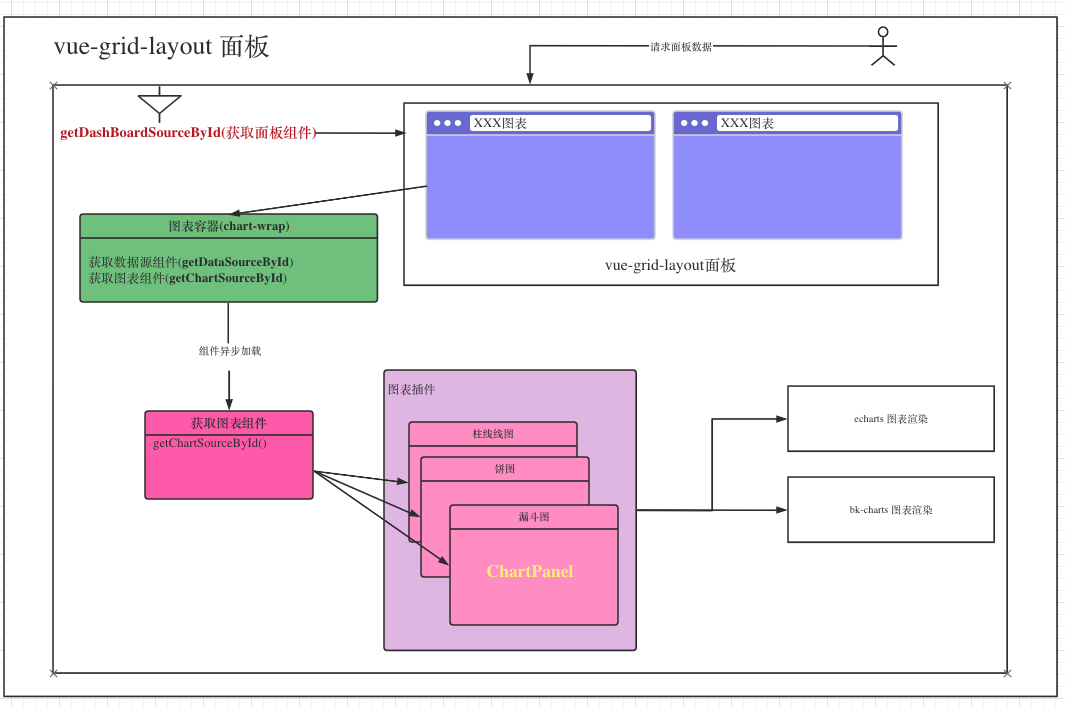
面板插件 如何渲染图表
数据源插件使用范例
加载mysql数据源插件
具体示例,请参考 src/components/chart-wrap/chart-wrapper.tsx 组件
数据源插件说明
ON THIS PAGE